

Simplified mapping to Discipline Models
The selection for the drag-and-drop function in the section Assign Discipline Models can be controlled using the “Cascading selection” button. Depending on your preferred approach, you can enable or disable this function.
Figure: Enabled feature “Cascading Selection”
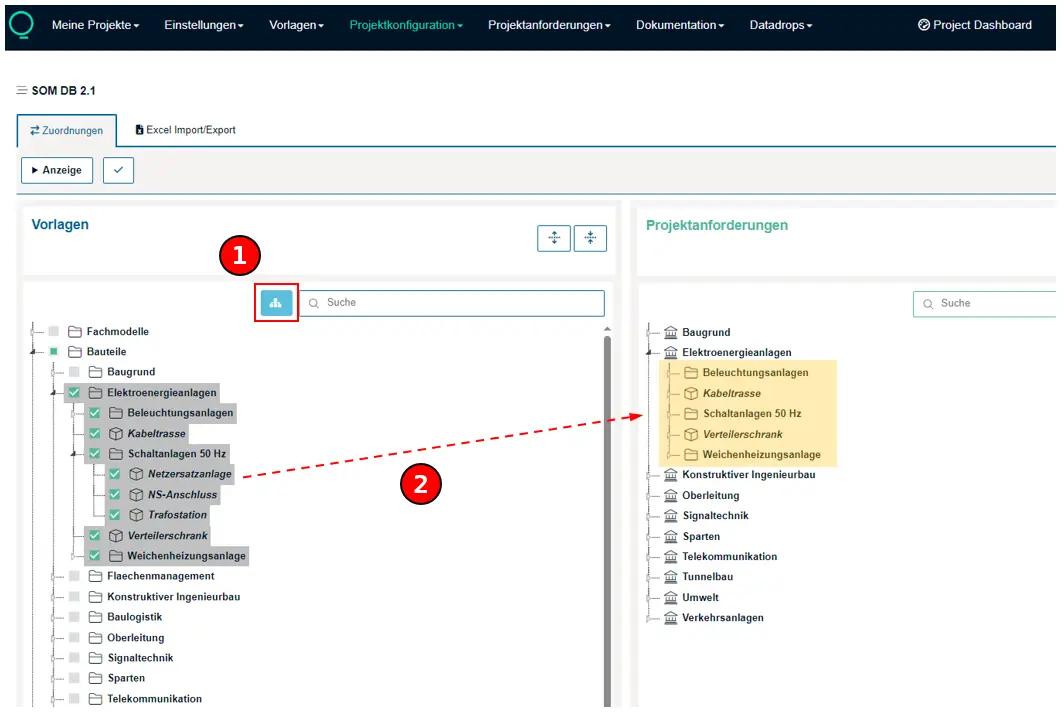
Cascading SelectionWhen the function “Cascading Selection” is enabled, all subordinate concepts are also selected. Individual concepts can be deselected separately.When the function “Cascading Selection” is disabled, all concepts can be selected individually.
Assignment to Discipline ModelAll selected concepts are assigned to the corresponding discipline model using the drag-and-drop function.