

Login and Account
Login
Visit server.bim-q.de to access the BIMQ login page. If you are registered on another specific customer server, you must use that web address.
Figure: BIMQ login page

On the BIMQ login page, you can log in with your
Email addressandPasswort.
My settings
Under My Settings, you can manage your login details and make any necessary changes.
Figure: User settings / General Settings
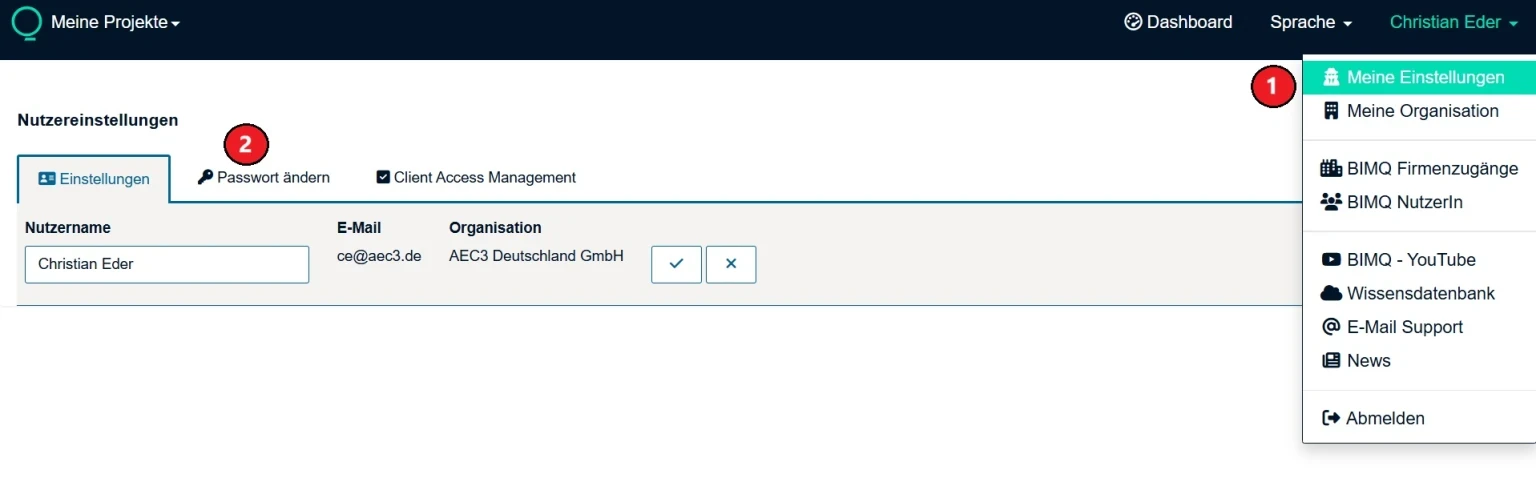 1. Under
 My Settings, you will find the user settings.
You can customize your login details using the
General SettingsandChange Passwordtabs.
Password
Under Change Password, you can assign an individual password.
Figure: User settings / Change Password

With the tab
Change Password, you can change your password by entering it and confirming it once.You can then confirm the change by checking the box or cancel it by clicking the X.
When creating a password, you should observe the restrictions mentioned above.